

URL Encoder Spell Mistake: 44 The Complete Guide to Fixing Encoding Errors
Have you ever watched a perfectly working page crash because of one tiny character? That’s exactly what a URL encoding error does. One misplaced symbol inside a link can bring down an entire HTTP request, break a checkout flow, or quietly destroy your analytics tracking. It sounds dramatic until it happens in your production environment at 2 AM.
The frustrating part? These mistakes hide well. A malformed URL doesn’t always scream for attention. Sometimes it just silently corrupts query parameters, confuses search engine crawlers, or sends users to a dead end. Many teams discover the damage only after customers start reporting broken links, failed payments, or missing search results. By then, the problem has often been running for weeks.
This guide covers everything you need to know about the URL encoder spell mistake what causes it, how to spot it, how to fix it, and how to make sure it never comes back. Whether you’re a developer debugging a live system or an SEO specialist cleaning up a messy site architecture, you’ll find practical, actionable answers here.
What Is a URL Encoder Spell Mistake?
A URL encoder spell mistake is an error in how a Uniform Resource Locator gets percent-encoded. It’s not a typo in the traditional sense. It’s a URL syntax error a breakdown in the precise mathematical system that converts unsafe characters into web-safe sequences. Think of it like writing a phone number with one digit wrong. The format looks right but the connection never goes through.
Here’s a simple example. The percent-encoding system requires a percent sign followed by exactly two valid hexadecimal digits. So a space becomes %20. Now imagine a developer manually edits a URL and types %2G instead. The letter G isn’t a valid hex character. The browser parsing engine tries to process it anyway and the server parsing layer receives corrupted data.
That one character swap turns a clean link into an invalid URL waiting to fail. The same problem appears during manual URL construction when developers concatenate strings without proper encoding utilities. A product name like “Dolce & Gabbana” becomes a disaster inside a query string because the ampersand acts as a parameter separator. The browser splits your data in half and your intended search query never arrives intact.
“A URL encoder spell mistake isn’t about carelessness. It’s about the fragile, precise nature of the systems URLs travel through.”
Why Correct URL Encoding Matters in Modern Web Systems
URL encoding isn’t just about formatting. Every HTTP GET request depends on a clean, correctly structured link to communicate properly between systems. A single encoding flaw can prevent a REST API URL from routing to the right API endpoint, destroy session handling in authentication flows, or break redirect chains across your entire application. Modern systems are layered microservices, API gateway routing, CDN edge caching, dynamic frontend frameworks and a single URL formatting problem can ripple through all of them simultaneously.
From an SEO perspective, the stakes are just as high. Googlebot and other search engine crawlers rely on consistent, deterministic links to map your site correctly. When duplicate URLs exist because of encoding inconsistencies say, one version with %20 and another with a raw space crawlers may index both versions as separate pages. That splits your ranking signals, wastes your crawl budget, and weakens canonical signals across your entire domain. Technical SEO audits consistently expose encoding problems as silent killers of search visibility that nobody noticed because no obvious error ever fired.
How URL Encoding Works in Simple Terms
At its core, URL Encoding solves a simple problem. The internet runs on the ASCII character set, which only recognizes a limited range of characters. But modern websites use spaces, emoji, accented letters, and symbols constantly. Percent-Encoding bridges that gap. It converts every unsafe character into a standardized three-character sequence a percent sign followed by two hexadecimal digits that every browser and server understands identically. The Internet Engineering Task Force (IETF) defines this standard under RFC 3986, which governs how every Uniform Resource Locator gets formatted for data transmission across the web.
The mapping is mathematical and precise. A space character carries an ASCII value of 32, which equals 20 in hexadecimal so it becomes %20. An ampersand becomes %26. A hash symbol becomes %23. For international characters like é, the UTF-8 encoding process breaks the character into two bytes and encodes each one separately, producing %C3%A9. Every step follows the same logic. When this process goes wrong, the entire URL structure falls apart because reserved characters that normally control URL syntax get misread as raw data or vice versa.
| Character | Encoded Value | Purpose |
| Space | %20 | Replaces blank space |
| & | %26 | Escapes ampersand in query values |
| ? | %3F | Escapes question mark |
| # | %23 | Escapes fragment/hash symbol |
| = | %3D | Escapes equals sign |
| % | %25 | Escapes the percent sign itself |
| é | %C3%A9 | UTF-8 international character |
URL Encoding vs URL Decoding: Understanding the Difference
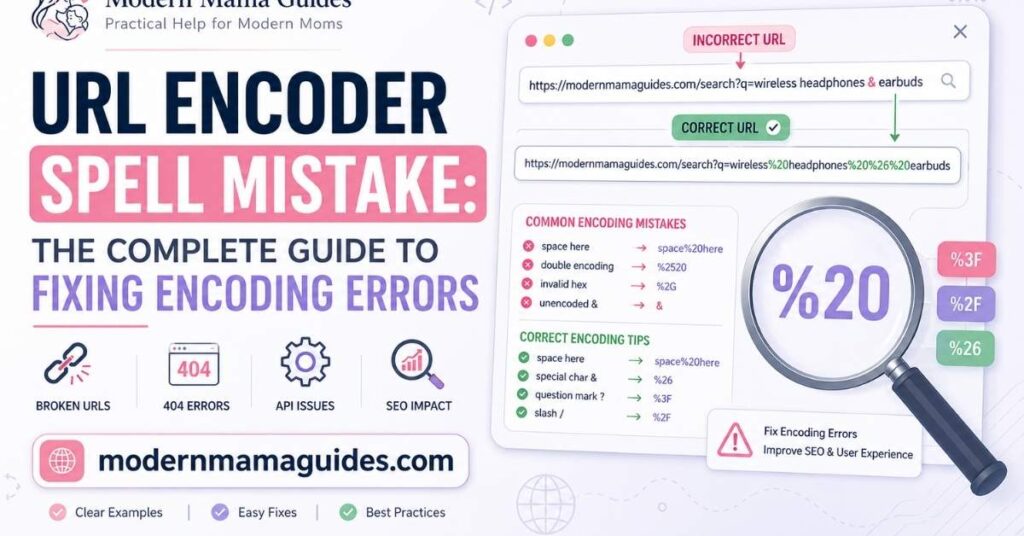
URL Encoding and URL Decoding work in opposite directions but people constantly confuse them. URL Encoding converts unsafe characters into percent-encoded sequences before transmission. URL Decoding reverses that process after the data arrives. Encoding happens on the way out. Decoding happens on the way in. Simple enough until systems start doing both at the wrong time.
The real danger is Recursive Double-Encoding. Imagine a string that gets encoded correctly once, producing hello%20world. Then a second encoding pass runs maybe inside a middleware layer nobody documented and that % sign itself becomes %25. Now your decoded URL reads hello%2520world.
The backend server receives it, tries to decode once, and gets hello%20world instead of hello world. The routing breaks. The server request URL doesn’t match any endpoint. You get a silent failure that’s almost impossible to trace without differential analysis of the full encoding pipeline. This is exactly why understanding the direction of each operation matters so deeply in distributed systems.
Common Causes of URL Encoder Spell Mistakes
Most URL encoding errors don’t happen because someone doesn’t know what they’re doing. They happen because modern web architecture is complex, layered, and full of systems that each apply their own rules. A frontend client encodes data one way. A backend server expects another format. A reverse proxy normalizes it differently. By the time your request URL reaches its destination, it may have passed through half a dozen transformation layers and any one of them could have introduced a URL parsing issue that breaks everything downstream.
The risk multiplies when teams grow fast, documentation stays thin, and legacy code lives alongside modern frameworks. You might be running a React frontend using native encoding functions correctly while an older PHP service applies URL Encoding again during processing. Neither team realizes both are encoding the same data. The result is accidental double encoding that only shows up in edge cases usually the kind that customers hit first.
Human Error
Developers who manually edit URLs introduce URL syntax errors more often than any automated system does. The problem is confidence. A URL looks correct at a glance. But typing %2 instead of %20 or missing the trailing character entirely creates an invalid URL that no browser can parse cleanly. The HTTP 400 Bad Request response follows almost immediately. The tricky part is that these mistakes often survive code review because reviewers scan for logic errors, not character-level encoding precision. Manual URL construction is one of the riskiest practices in web development precisely because the mistakes it creates are so small and so easy to miss.
Copy-Paste Artifacts
Copying a URL from Microsoft Word, a PDF, or a chat application seems harmless. It isn’t. Rich text editors silently embed hidden Unicode characters, smart quotes, invisible formatting marks, and non-standard spaces into content. When that URL lands inside your codebase or browser bar, those artifacts travel with it. Your URL validation layer may not catch them. Your browser may silently strip some and choke on others. The result is a broken URL that behaves inconsistently across environments. It works on one machine and fails on another. That inconsistency makes it one of the hardest URL debugging problems to reproduce.
Incorrect Encoding Functions
JavaScript gives developers two encoding tools: encodeURI() and encodeURIComponent(). Using the wrong one is a classic source of URL formatting problems. encodeURI() handles a full URL and intentionally leaves reserved characters like /, ?, and & untouched. encodeURIComponent() encodes individual values and escapes those same characters. Apply encodeURIComponent() to a full URL and you destroy the URL structure. Apply encodeURI() to a query value and unescaped ampersands will shatter your query string parameters. Backend languages carry similar risks. PHP’s urlencode() and rawurlencode() behave differently for query parameters vs path segments. Mixing them up produces malformed URLs that look correct but fail in routing.
Double Encoding
Double Encoding is the sneakiest encoding bug in web development. It happens when an already-encoded string passes through a second encoding function usually inside routing middleware, an API gateway, or a CDN edge caching layer. The percent sign in %20 has an ASCII value that encodes to %25. So a second pass turns %20 into %2520. Your backend server decodes that once and gets %20 not the space character you originally intended. The server logs show a request arriving at a completely wrong path. The fix looks obvious in hindsight but finding it requires tracing the entire encoding pipeline step by step, which takes time that production systems don’t have to spare.
Hardcoded URLs
Raw string concatenation is fast to write and fragile to maintain. A developer builds a search URL like this:
const url = “/search?q=” + userInput;
It works fine during testing. Then a real user searches for “4K TV & Soundbar” and the ampersand splits the query string into two separate parameters. The server parsing engine reads brand=4K TV and a phantom parameter called Soundbar. The intended search never executes. Hardcoded URLs built through concatenation skip the safety net that native encoding functions provide. Every special character a user might type becomes a potential URL construction failure waiting to happen in production.
How to Identify URL Encoding Problems
URL encoding errors rarely announce themselves with a clear message. Instead, they surface as indirect symptoms that send teams chasing the wrong problems. A checkout page stops converting. An API integration returns mysterious errors. Search rankings drop without any content changes. The first tool every developer should reach for is the Browser Network Tab inside Chrome Developer Tools. It shows the exact request URL the browser sends, the response headers it receives, and every redirect in between. If you spot sequences like %252520 in the address bar, you’re looking at a recursive double-encoding problem in real time.
Server-side investigation goes deeper. Server logs, access logs, and proxy logs capture how the server request URL arrived after every proxy, load balancer, and middleware layer transformed it. Comparing the original client request against what the server actually received often reveals the exact layer where the encoding broke down. SEO teams have their own angle: Google Search Console and crawling tools like Screaming Frog surface broken links, duplicate URLs, and crawl budget waste caused by encoding inconsistencies across the site architecture. Combining both perspectives developer tools and SEO crawlers gives you the fastest path to the root cause.
Real Examples of URL Encoding Mistakes and Fixes
Theory is useful. Real examples are better. The following cases represent the most common URL encoding errors teams encounter in production environments. Each one demonstrates how a small encoding mistake creates a specific failure and how the correct URL construction resolves it cleanly.
Understanding these patterns trains your eye to spot similar problems faster during URL debugging sessions. It also helps during code review when you’re scanning for potential URL syntax errors before they reach production.
Spaces Inside Search Queries
Raw spaces inside a URL structure immediately break browser parsing. The HTTP header treats a space as the end of the URI. Everything after it gets dropped or misread.
Broken URL:
https://example.com/search?q=wireless headphones
Fixed URL:
Some browsers auto-correct this silently. Don’t rely on that behavior. Different browsers handle URL normalization differently and your backend server may never receive the raw space version at all or it may receive it incorrectly formatted depending on the reverse proxy in front of your application.
Read More: Best Wireless Earbuds of 2026: Tested and Reviewed for Every Need
Ampersands Breaking Parameters
An unescaped ampersand inside a query string value is one of the most common URL encoding errors in e-commerce systems. The server reads it as a parameter separator not part of your data.
Broken URL:
Fixed URL:
Without percent-encoding the ampersand, the server parsing layer reads two parameters: brand=Dolce and an empty parameter called Gabbana. Your intended query parameters never arrive intact. This breaks search results, filtering systems, and tracking parameters simultaneously.
Broken UTF-8 Characters
International text adds another layer of complexity to URL Encoding. Characters outside the ASCII character set must be converted using UTF-8 encoding before they can travel safely inside a URL.
Broken URL:
Fixed URL:
Without proper UTF-8 Characters handling, systems generate Unicode Artifacts — strange garbled sequences that break URL routing entirely. Multilingual sites face this constantly, especially when content management systems generate dynamic URLs automatically from user-submitted titles.
Recursive Double-Encoding
This one is the hardest to debug. A string gets encoded correctly then encoded again by a second system layer.
Broken URL:
Fixed URL:
The %252F you see in the broken version means the slash character got encoded twice. First to %2F, then the percent sign itself encoded to %25. The backend server decodes %252F once and gets %2F an encoded slash instead of an actual slash. The route never resolves. One encoding pass is always enough. More than one is always a problem.
Step-by-Step Process to Fix URL Encoder Spell Mistakes
Fixing a URL encoding error isn’t guesswork. It’s a methodical process that moves from isolation to validation in clear steps. Jumping straight to a fix without first understanding the full encoding pipeline almost always means the problem comes back in a slightly different form.
Before starting, gather your tools: Chrome Developer Tools, a reliable URL decoder, Postman or cURL for endpoint testing, and access to your server logs. You’ll need all of them.
- Isolate the broken URL from your server logs, access logs, or Browser Network Tab. Copy the exact request URL including all query string parameters.
- Decode the payload using decodeURIComponent() in a browser console or an online URL decoder. This converts the string back to human-readable text and reveals where the error lives.
- Identify the syntax flaw. Look for unescaped special characters, incomplete hexadecimal digits like %2 instead of %20, double encoding signs like %2520, or hidden Unicode characters from copy-paste artifacts.
- Correct the raw string. Fix every problematic character in the decoded version. Make sure each unsafe symbol gets exactly one encoding treatment — no more, no less.
- Re-encode using native functions. Never type percent codes manually. Use encodeURIComponent() in JavaScript, rawurlencode() in PHP, urllib.parse.quote() in Python, or the appropriate native encoding function for your language.
- Validate the endpoint. Test the corrected URL in Postman or directly in the browser. Confirm an HTTP 200 response and verify the backend server correctly receives all intended parameters.
- Deploy and monitor. After pushing the fix, watch your server logs and error monitoring tools for new HTTP 400 Bad Request or HTTP 404 Not Found responses. A spike here means the fix introduced a new problem.
URL Encoding in APIs and Backend Systems
API endpoints are extraordinarily sensitive to URL encoding errors. A single unencoded space or misplaced character in an API endpoint path prevents the backend server from matching the route at all. The request fails before any business logic ever executes. Consider the difference between /api/products?category=smart watches and /api/products?category=smart%20watches. The first version may work in some browsers. In a strict REST API URL context, it returns an immediate rejection because the server parsing engine doesn’t interpret raw spaces inside query parameters.
The risk becomes critical inside authentication systems. OAuth Redirect URI matching, API Signatures, and Session Validation all depend on character-perfect URL matching. A single encoded vs unencoded character mismatch in a redirect URL can invalidate session tokens, break callback verification, and lock users out entirely. This gets even more complex when requests travel through CDN edge caching, reverse proxy layers, API gateway routing, and load balancer configurations each of which may apply its own URL normalization rules during payload transmission. Enterprise environments stack these layers deep and debugging across them requires request tracing at every stage.
Frontend vs Backend Encoding Conflicts
The most insidious URL encoding errors aren’t caused by a single mistake. They’re caused by two systems doing the right thing just at the wrong time. A React frontend client correctly applies encodeURIComponent() to a query value before sending it. The legacy PHP backend server then applies urlencode() again during processing. Neither system knows the other already encoded the data. The result is accidental double encoding that only appears under specific conditions the kind that passes every unit test and only breaks in production.
Framework mismatches create similar friction. A React router might preserve forward slashes in dynamic URLs while a routing middleware layer encodes them. A Django backend might interpret encoded URLs differently than a Node.js API gateway sitting in front of it. Legacy systems built on older versions of Apache, Nginx, or Microsoft IIS sometimes rely on outdated character encoding behavior that conflicts with modern UTF-8 encoding standards. Add cross-browser quirks where different browsers normalize request URL formatting differently before sending HTTP requests and you have a recipe for URL parsing issues that appear impossible to reproduce consistently. Integration Testing across every layer of your stack is the only reliable way to catch these conflicts before users do.
Read More: What Is Team Aelftech com? A Complete Guide to This Modern Digital Marketing Company (2026)
Why Manual URL Construction Is Dangerous
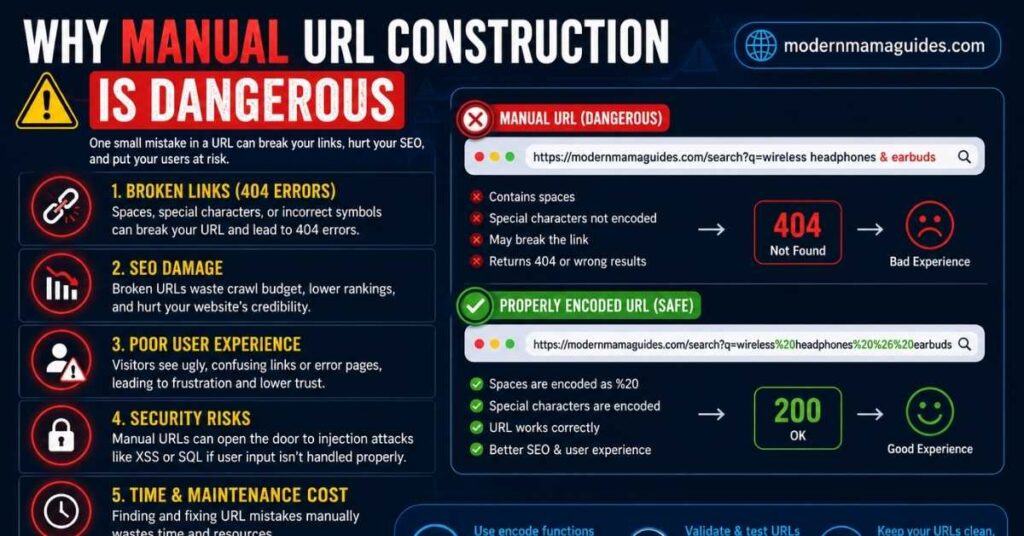
Manual URL construction feels fast during development. It breaks catastrophically in production. Raw string concatenation skips every safety check that native encoding functions provide. It works perfectly until a real user inputs something your test cases never covered and then it fails in a way that’s hard to trace and embarrassing to explain.
The moment a user types “4K TV & Soundbar” into your search box, that raw ampersand shatters your query string into fragments the server was never designed to handle. Using the right function for the job eliminates this entire class of problem.
| Language | Safe Encoding Function | Use Case |
| JavaScript | encodeURIComponent() | Individual query values |
| PHP | rawurlencode() | Path segments |
| PHP | urlencode() | Query string values |
| Python | urllib.parse.quote() | Path and query encoding |
| Java | URLEncoder.encode() | Form data (UTF-8) |
Good engineering teams never reinvent URL Encoding logic manually. They wrap native functions in utility methods, enforce their use through code review, and catch violations with Unit Testing before a single malformed character reaches a live server request URL.
Advanced Troubleshooting for Persistent Encoding Errors
Some URL encoding errors disappear the moment you apply the obvious fix. Others survive every patch and keep coming back. Persistent issues almost always involve multiple systems interacting in unexpected ways. A request travels through a frontend client, a CDN edge caching layer, a Web Application Firewall, a load balancer, a reverse proxy, routing middleware, and finally your backend server. Any one of those layers can transform, normalize, or strip encoded URLs in ways the next layer doesn’t expect.
Advanced URL debugging in these environments requires differential analysis at every stage. Capture the request URL leaving the browser. Capture what arrives at the reverse proxy. Capture what the backend server actually receives. Compare them byte by byte. Tools like Postman, Wireshark, and proxy logs make this comparison possible. Sometimes the culprit is a WAF stripping encoded slashes.
Sometimes it’s a load balancer applying URL normalization before the application sees the request. And sometimes the issue has nothing to do with URL Encoding functions at all it’s a hidden Unicode character that was pasted into a database record years ago and has been quietly corrupting dynamic URLs ever since. Request Tracing through distributed systems is the only way to catch these deep, structural problems reliably.
Tools and Techniques for URL Encoding and Debugging
No single tool catches every URL encoding error. Effective URL debugging requires a combination of browser tools, server-side inspection, API testing, and automated monitoring working together. The table below shows what each tool handles best and where it fits inside your debugging workflow.
| Tool | Primary Use | What It Reveals |
| Chrome Developer Tools | Browser Network Tab inspection | Raw request URL, response headers, redirect chains |
| Postman / cURL | API endpoint testing | Exact encoded payloads, server responses |
| Screaming Frog | Site-wide crawl audit | Broken links, duplicate URLs, URL syntax errors |
| Google Search Console | Technical SEO monitoring | Crawl budget waste, broken links, indexing errors |
| Sentry / Datadog | Production error monitoring | HTTP 400 Bad Request spikes, encoding anomalies |
| Nginx / Apache Logs | Server logs analysis | Raw server request URL, query parameters received |
| Online URL Decoders | Quick URL debugging | Instant decode of complex encoded URLs |
Beyond these tools, smart teams embed URL validation directly into their CI/CD Workflows. An automated test that attempts to fetch critical endpoints before every deployment catches URL formatting problems before they reach production. Static analysis tools can flag raw string concatenation patterns in code that bypass native encoding functions. Combine automated checks with active access logs monitoring and you close most of the gap between encoding problems appearing and getting fixed.
The Hidden SEO Impact of URL Encoding Errors
URL encoding errors and Technical SEO problems are more tightly connected than most teams realize. When your site generates duplicate URLs say, one with %20 and another with a raw space or %2520 Googlebot may index all three variations as separate pages. Your ranking signals fragment across those versions. Your canonical signals lose authority. And your crawl budget burns on pages that deliver no value to anyone. Large e-commerce sites with faceted navigation face this constantly because product filters generate thousands of dynamic URLs automatically, often without any URL normalization logic in place.
The damage runs deeper than rankings. Broken links caused by malformed URLs stop search engine crawlers cold. When Googlebot hits a HTTP 404 Not Found on an internal link, it abandons that crawl path and the pages behind it may never get indexed. Tracking parameters built with improperly encoded query string parameters corrupt your analytics data which means the marketing decisions you make based on that data are built on a broken foundation. Deep linking into specific product pages, filtered views, or campaign landing pages depends entirely on correct URL structure. One encoding mistake in a template can break thousands of redirect URLs simultaneously and tank search visibility across an entire section of your site.
The Role of URL Encoding in Secure Web Development
Secure backend development treats URL Encoding as a security control, not just a formatting rule. Attackers understand that malformed URLs create predictable failures in validation layers. Injection attacks, open redirect vulnerabilities, path traversal exploits, and request smuggling attacks all exploit weaknesses in how systems parse and trust incoming server request URLs. A carefully crafted encoded URL that uses recursive double-encoding to disguise a malicious payload can slip past security filters that only check the surface representation of a string not what it decodes to after processing.
A robust system defends against this at multiple levels. It normalizes all incoming request URLs to a canonical form before validation. It rejects any URL containing invalid hexadecimal digits, malformed percent-encoding sequences, or unexpected special characters in path segments. It sanitizes query parameters before they touch any database query or file system operation. It blocks path traversal exploits by validating that decoded paths don’t escape their intended directory scope. Many teams combine application-level URL validation with WAF rules and CDN edge caching security policies to create layered protection throughout the HTTP request lifecycle so that no single bypass point compromises the entire system.
Best Practices to Prevent URL Encoder Spell Mistakes
Prevention is always faster than emergency repair. The teams with the cleanest URL architecture aren’t the ones who fix encoding problems fastest they’re the ones who eliminate the conditions that create them. That starts with enforcing UTF-8 encoding consistently across every layer of your infrastructure: frontend client, API gateway, backend server, database, reverse proxy, and HTTP header configuration. Mixed encoding standards where one layer assumes Latin-1 and another expects UTF-8 Characters create URL parsing issues that are almost impossible to diagnose without tracing every system individually.
Automated testing is your second line of defense. Every dynamic URL generation path in your application should have Unit Testing coverage that validates the output against expected encoded URLs. Every API endpoint should have Integration Testing that confirms correct payload transmission of special characters and reserved characters across the full stack. Embed these checks inside your CI/CD Workflows so no encoding regression reaches production undetected. Active monitoring through tools like Sentry or Datadog should alert your team the moment a spike in HTTP 400 Bad Request responses appears because a sudden jump almost always signals a new URL encoding error somewhere in the pipeline.
Follow Web Standards
RFC 3986 isn’t a suggestion. It’s the standard that every browser, server, API gateway, and search engine crawler uses to interpret a Uniform Resource Locator. Building your URL Encoding logic on this foundation means your links behave consistently everywhere across browsers, across distributed systems, and across every HTTP request your application sends or receives. Deviating from the URI Protocol defined in RFC 3986 creates URL formatting problems that only surface in edge cases, which makes them among the hardest bugs to reproduce and fix.
Use Trusted Libraries
Native encoding functions built into modern programming languages exist precisely because manual URL construction fails. encodeURIComponent() in JavaScript, urllib.parse.quote() in Python, rawurlencode() in PHP these tools implement the percent-encoding standard correctly, handle UTF-8 Characters properly, and escape every reserved character that could break your URL structure. Writing custom encoding logic from scratch is almost always a mistake. Even experienced developers miss edge cases that the standard libraries have already solved.
Implement Validation
URL validation should happen at every boundary where user input touches a URL. That means validating on the frontend client before data leaves the browser, validating on the backend server before data enters your routing logic, and validating inside any API gateway or routing middleware that handles incoming server request URLs. Automated URL validation checks inside your CI/CD Workflows catch URL syntax errors in generated dynamic URLs before deployment. The cost of a validation check is milliseconds. The cost of a broken URL reaching production is measured in lost revenue, damaged rankings, and engineering hours.
Avoid Manual Editing
Every time someone hand-edits a percent-encoded string, they introduce risk. Even experienced developers mistype hexadecimal digits. Content managers working in CMS environments accidentally paste hidden Unicode characters from rich text editors. Marketing teams copy tracking parameters from spreadsheets that silently embed non-standard spaces. The solution is process, not vigilance. Remove the opportunity for manual URL editing wherever possible. Use tools that generate clean URLs automatically. Train content teams on why raw URL construction by hand creates broken links that hurt both users and search visibility.
Maintain Clean URL Structures
SEO-friendly URLs aren’t just good for rankings. They’re inherently easier to encode correctly because they contain fewer special characters that need escaping. Using hyphens instead of spaces, keeping paths short and descriptive, and avoiding unnecessary query parameters all reduce the complexity of your URL architecture. A deterministic URL structure where the same content always generates the same URL eliminates entire categories of duplicate URLs and URL normalization problems before they can develop. The simpler your URLs are at the design level, the less opportunity there is for URL encoding errors to appear during payload transmission.
Long-Term Maintenance for Stable URL Architecture
URL hygiene isn’t a project you complete once and forget. As your application grows, URL routing gets more complex. New API endpoints appear. Frontend frameworks evolve. Third-party integrations introduce new query parameters and tracking parameters with their own encoding quirks. Without consistent governance, URL formatting problems slowly accumulate across your architecture until a routine update triggers a cascade of broken links that nobody can quickly explain.
Successful teams treat URL architecture maintenance as an ongoing practice. They schedule regular automated crawls using tools like Screaming Frog to surface new broken links, malformed URLs, or duplicate indexing problems before users or search engine crawlers encounter them. They maintain internal documentation that defines how dynamic URLs get constructed, what URL normalization rules apply, and which native encoding functions each part of the stack uses.
They run differential analysis after major deployments to confirm that server request URLs still behave as expected across every routing middleware layer. And they monitor production server logs and access logs continuously because a sudden spike in HTTP 400 Bad Request responses is almost always the first signal that a URL encoding error has entered the system.
Frequently Asked Questions
What exactly is a URL encoder spell mistake?
A URL encoder spell mistake is a URL syntax error that occurs when percent-encoding gets applied incorrectly to a Uniform Resource Locator. It’s not a typographical error in the conventional sense it’s a breakdown in the precise mathematical process that converts special characters and reserved characters into web-safe hexadecimal digits. Common examples include mistyped percent-encoding sequences like %2 instead of %20, double encoding that produces %2520 instead of %20, and unescaped special characters like ampersands or spaces left raw inside query parameters. The result is always a malformed URL that browsers and servers can’t reliably parse.
How do I fix a URL encoding error?
Start by isolating the broken URL from your server logs or Browser Network Tab in Chrome Developer Tools. Decode the string using decodeURIComponent() or an online URL decoder to reveal the raw characters. Identify the specific URL syntax error missing encoding, double encoding, or hidden Unicode characters then correct the raw string and re-encode it using native encoding functions appropriate to your language. Test the corrected URL in Postman or directly in your browser to confirm an HTTP 200 response and proper query parameters delivery before deploying.
Can encoding mistakes affect SEO and website crawling?
Absolutely. URL encoding errors create duplicate URLs that split your ranking authority, waste crawl budget on invalid URLs that deliver no value, and generate HTTP 404 Not Found errors that stop Googlebot from discovering your content. Corrupted tracking parameters from poorly encoded query string parameters also distort your analytics data, which affects marketing decisions that indirectly influence search visibility. Canonical signals weaken when multiple encoded variants of the same page exist simultaneously. Technical SEO audits regularly surface URL formatting problems as major hidden contributors to poor crawl efficiency and lost rankings.
What are the most common URL encoding mistakes?
The most common URL encoding errors are: leaving spaces raw inside query parameters instead of encoding them as %20, unescaped ampersands inside parameter values that break query string parsing, recursive double-encoding that produces sequences like %2520, mistyped hexadecimal digits like %2O (letter O) instead of %20 (zero), and copy-paste artifacts introducing hidden Unicode characters into URL construction. Each produces a different failure signature but all stem from the same root cause bypassing or misapplying the percent-encoding standard defined in RFC 3986.
How can I prevent URL encoding errors?
Prevention comes down to four habits: always use native encoding functions instead of manual URL construction, enforce UTF-8 encoding consistently across your entire stack from frontend client to backend server, build URL validation checks into your CI/CD Workflows so malformed URLs never reach production, and train your whole team developers and content managers alike on why raw URL editing creates broken links and URL syntax errors that are expensive to fix. Regular automated crawls using Technical SEO tools add a final safety net that catches anything that slips through.
Conclusion
A URL encoder spell mistake is one of those problems that looks trivial on paper and catastrophic in production. One mistyped hexadecimal digit, one unescaped ampersand, one round-trip through an encoding function that didn’t need to run again and suddenly your REST API URLs fail, your session tokens break, your Googlebot crawl hits a wall, and your analytics data lies to you. The damage rarely looks like an encoding problem at first glance. It looks like a mysterious HTTP 400 Bad Request, a ranking drop, or a checkout page that randomly stops converting.
The good news is that URL encoding errors are entirely preventable. Use native encoding functions consistently. Enforce UTF-8 encoding across every layer of your infrastructure. Build URL validation into your CI/CD Workflows. Monitor server logs actively and treat any spike in 400-level errors as an immediate investigation trigger. Run regular Technical SEO audits to surface broken links and duplicate URLs before they compound. And most importantly, treat URL hygiene as a foundational engineering discipline not an afterthought. Your users, your search engine crawlers, and every API endpoint in your system depend on clean URLs to communicate reliably. Give them that reliability and everything downstream works better.